Verification Formula
The Verification Formula area (bottom left) is where you pick a logic and enter the property to verify. It follows Model Definition; the check itself runs from Execute Verification.
The area has five tabs: Editor, Visual, Examples, Generate and Syntax Help. The header shows the logic dropdown and Valid or Invalid after formula validation; with NatSL selected it also shows a schedule selector. Model Information, the panel at the top right that summarizes the parsed model (states, agents, propositions), lists the logics that fit your model.
Logic selection
With a model loaded, the logic dropdown lists the primary logics for that model type. Each logic has one primary model type: the type its checker runs on, given in Table 1.
For costCGS and capCGS models, the dropdown also lists the eight CGS logics under the heading "Also listed (verification needs a cost logic)" or "... a capacity logic". This guide calls them secondary logics. The server does not run them on these models. A fuzzyCGS model lists them as secondary too, but there the server runs them when every Labelling value is 0 or 1 (see below Table 1).
Two rules decide what happens when the logic does not match the model:
- When the app detects the model type (after the model validates, or when you load another model), it switches a logic that is not primary for that type, secondary logics included, to a default primary logic: OL for costCGS, the first primary logic otherwise (for example ATL on CGS).
- When you then pick a secondary logic yourself and click Run Verification, the server rejects the run with a message such as "ATL requires a CGS model, but received costCGS." The app opens a "Model and logic mismatch" dialog that offers to switch to a suggested primary logic and run again.
Picking another logic in the dropdown clears the formula editor; the two automatic switches above keep your text.
Supported logics
Table 1: Supported logics.
| Model type | Primary logics | Secondary (listed, rejected at run time) |
|---|---|---|
| CGS | ATL, ATL_STAR, ATLF, CTL, LTL, NatATL, NatATL_Recall, NatATLF, NatSL | none |
| fuzzyCGS | ATLF | The eight CGS logics, which run only when every label is 0 or 1 |
| costCGS | OATL, OL, RABATL, RBATL | The eight CGS logics |
| capCGS | CapATL | The eight CGS logics |
| WalletCGS | Wallet_ATL | none |
| timedCGS | TCTL, TOL | none |
| BCGS | IATL | none |
| BirelationalMatrix | ICTL | none |
| ObstructionModel | COTL | none |
ATLF runs on a fuzzyCGS, defined in Model definition: a CGS model whose Labelling holds values between 0 and 1, such as 0.5. You write it as a CGS file; nothing else marks it. ATLF also runs on a CGS model, since 0 and 1 are valid values. With ATLF selected, the app shows the model type as fuzzyCGS once a Labelling value is neither 0 nor 1, and as CGS otherwise; a result of ATLF on such a CGS model also names CGS as its model type. A CGS logic run on a model with a label between 0 and 1 fails with a parser error that includes "Labels between 0 and 1 need a fuzzyCGS model."
An ATLF result is a value in [0,1] for each state, described in Verification Results.
The catalog comes from the server (GET /api/v1/model-checking/logics).
Formula syntax
Many logics start a formula with a coalition: the set of agents, by number, whose joint strategy the formula talks about, such as <1,2>. A strategy is an agent's rule for picking its action. The Syntax Help tab shows the full rules for the selected logic. Table 2 gives the shape of a formula in each logic, with an example from the bundled examples:
Table 2: Formula shapes.
| Logic | Shape | Example |
|---|---|---|
| ATL, ATLF, IATL | Coalition <1,2>, then a temporal formula. Empty <> is invalid |
<1> F q |
| ATL_STAR | ATL* (written ATL_STAR in the dropdown): ATL in which a coalition takes any path formula. The coalition is in doubled angle brackets, <<1,2>>, and temporal operators and further coalitions may be nested |
<<1>> (X goal && F goal) |
| CTL, ICTL, TCTL | Path quantifier A or E before the temporal operator; no coalition |
EF q |
| LTL | Temporal operators only | F goal |
| NatATL, NatATL_Recall, NatATLF | Coalition with a bound: <{agents}, k>. k bounds the complexity of the strategies searched |
<{1,2}, 2> F goal |
| CapATL | Coalition in braces. The capacities are in the capCGS model, not in the formula | <{1}> F a |
| OATL | Coalition, then a bound in a second bracket | <1,2><3> G !(r && s && g) |
| RBATL, RABATL | Coalition, then a resource bound in a second bracket; RABATL takes one value per resource | <1><1> F r, <1><1,1> F r |
| COTL | A legion (the demons, possibly none) and a budget | <1,3><1> G !q, <><0> G !q |
| OL | <Jk> before every temporal operator, with k a whole number from 0: the most cost the Demon (an adversary that removes edges) may disable before each step |
<J8> F goal, <J0> G safe |
| TOL | {Jk} before every temporal operator, with k a whole number from 0 |
{J2} G p, {J0} F p |
| Wallet_ATL | Doubled angle brackets, optionally with a wallet condition | <<1>> F q |
| NatSL | Strategy quantifiers E{k}x and A{m}y, then bindings of strategies to agents |
E{1}x : (x, 1) F goal (for a model with one agent) |
Write connectives as &&, ||, ! and ->. The words and, or, not and implies work in every logic. The symbols &, | and > are rejected in every logic. NatSL goals take no connectives. Apply to Text writes the first form.
Write a space, ( or ! after a temporal operator, in every logic: F p, G (p -> q), F !p. Write a space on each side of U: p U q. A name that starts with an operator letter, such as Fuel or Goal, is fine on its own: F Fuel. With no space, Fp and pUq are names. Most logics reject them as a syntax error. LTL and ATL* read them as one proposition called Fp, which the model must declare. When the model declares goal and the formula has the undeclared Fgoal, the warning and the error suggest F goal, and p U q for pUq.
Notes on the less common logics:
- Atomic propositions start with a letter and contain letters, digits and
_, such asp,Goalorsafe_1. They must be defined in the model and must not be reserved words such asand,or,notoruntil. - NatATL evaluates over memoryless strategies (they use only the current state), NatATL_Recall over perfect-recall strategies (they may use the whole history). NatATLF uses the same syntax as NatATL.
- In OATL, a Demon (an adversary) erases joint actions of the costCGS model, spending at most the bound per step, so that whatever the coalition does, some remaining path satisfies the formula. In RBATL (resource-bounded) the bound limits the coalition's joint resource use; in RABATL (resource-aware) each coalition member's own consumption counts.
- In COTL, demons disable edges of the model, spending at most the budget per step, so that every resulting path satisfies the formula. It runs on an ObstructionModel, whose
Cursessection lists the edges each joint demon action disables. - OL and TOL use
Jbounds, not the numeric-only<5>, and every temporal operator needs one. - NatSL checks the fragment NatSL[1G]:
E{k}xsays some strategyxexists andA{m}ythat every strategyydoes;{k}and{m}bound the strategies' complexity. Every agent of the model must be bound exactly once, and prefixes have the formE* A*. A selector sets the schedule,space(default) ortime; API clients send it in theschedulefield. The two have the same semantics.
Editor
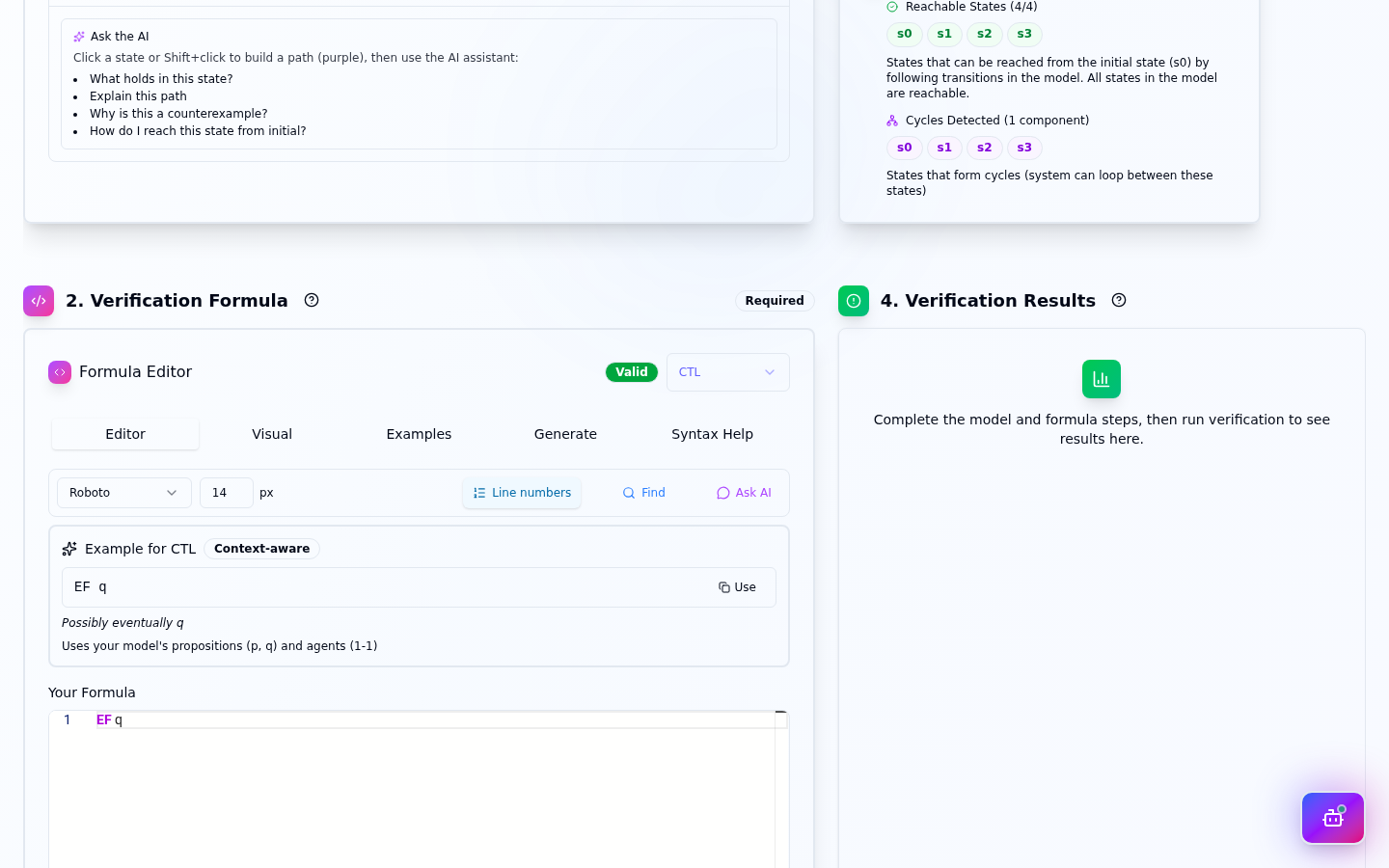
The main place to type your formula.
- Toolbar: font, size, line numbers, find and replace, and Ask AI on the selection.
- Example card: a sample formula for the selected logic. With a model loaded, the example uses your propositions and agents (Context-aware badge). Click Use to insert it.
- Your Formula: syntax highlighting and autocomplete (Ctrl+Space) for operators, propositions and state names from your model.
Batch verification
A batch is several formulas checked against the same model in one run. Separate the formulas with ;:
- At most one
;per line:first; secondon one line fails validation. A formula may span several lines. - The last formula may omit the trailing
;. - Optional labels:
MyLabel: formula;. - Comments (
#or//) may be on their own line or after a formula. - Duplicate labels or duplicate formulas in one batch are rejected.
- At most 100 formulas per batch.
- At most 2000 characters for the whole editor text: all formulas of the batch together, with their labels and comments.
The app checks these two limits before sending; the server API does not apply them.
Validation runs about one second after typing stops. Invalid input shows errors, warnings and underlines, and each error has Ask AI when available. Valid input shows a Valid badge, and may show a Formula structure tree (how the parser read your formula) and theory hints for the logic.
Below the editor, Quick Insert buttons append operators for the current logic, and Operator Reference is a collapsible list of operators and meanings.
Visual
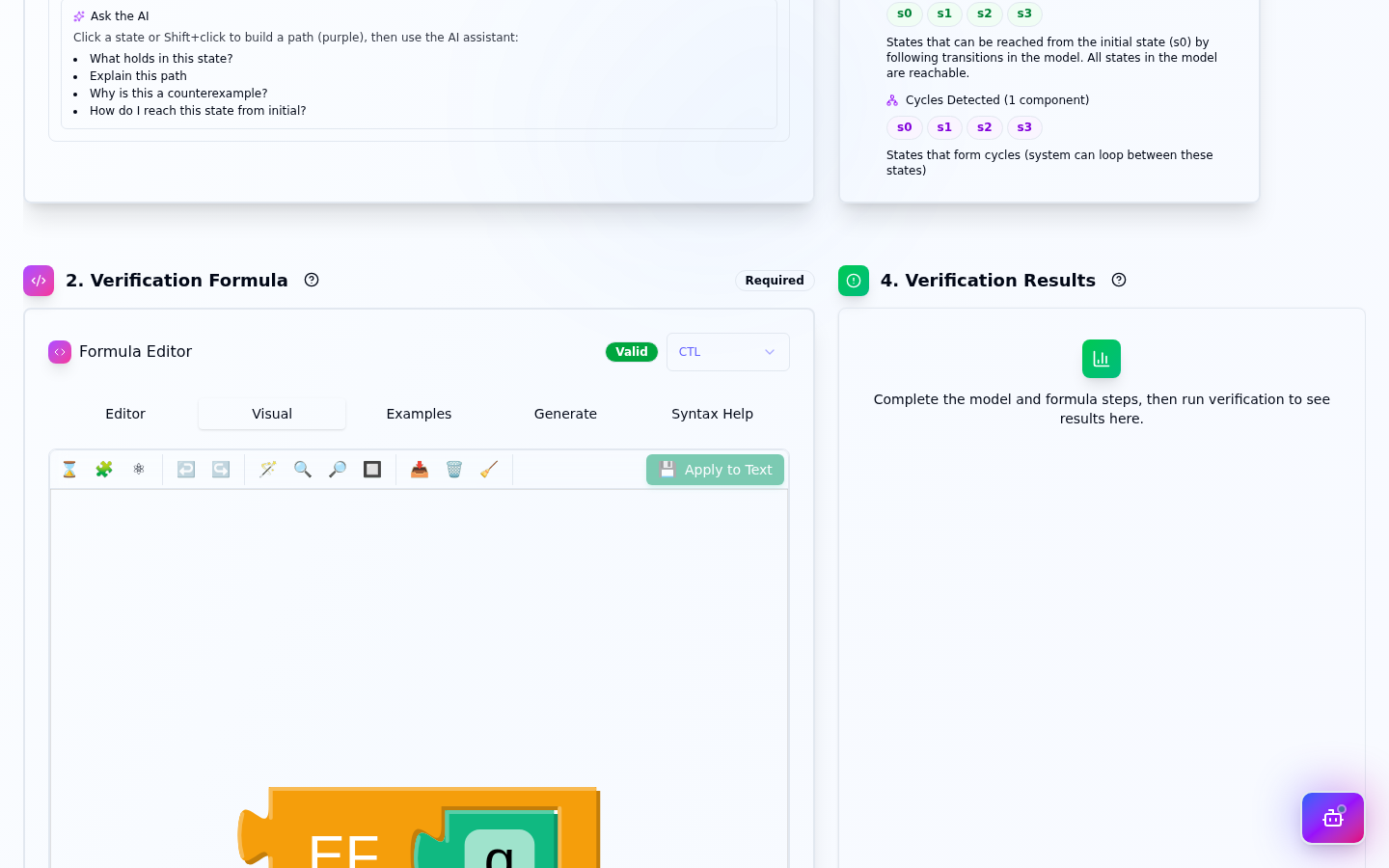
Drag-and-drop formula blocks (Blockly). The block categories on the left are Temporals (temporal operators with the coalition or path quantifier of the selected logic, the ATL* coalition, bound blocks and the NatSL strategy quantifiers), Logics (&&, ||, !, ->, the parenthesis block ( ) and the NatSL root block) and Atomics (propositions, agents and NatSL bindings). Each logic offers only the blocks its formulas accept. CTL has no Release blocks, while ICTL has them. TCTL has no AX and EX, and TOL has no X. NatSL has no &&, || or ->: its goal is one F, G or X over a proposition, which may be negated as a whole. IATL has the box modality [A], the dual of <A>. Wallet_ATL has a coalition block with wallet constraints such as wallet(1, >= 50). TCTL and TOL have blocks for a clock guard phi : x<5, which puts a clock constraint on phi, and for a freeze j.phi, which resets the clock j to 0. The workspace supports pan, zoom, auto-arrange, undo and redo, delete and clear.
To sync with the text editor:
- Import from Editor: parse text into blocks (overwrites the workspace).
- Apply to Text: write blocks back to the Editor tab for verification.
In ATL, the coalition <<A>> (doubled angle brackets around the agents) is a block of its own, and coalitions can be nested. Each ATL input accepts only blocks that bind at least as tightly as the block it belongs to: a coalition, G, F, X or ! does not take an &&, ||, -> or U block. Put a parenthesis block between them; Apply to Text then writes <<1>> F (p && q).
Parentheses
Where a block fits, Apply to Text adds the parentheses the model checker needs to read the text as the blocks show it, so you do not add parenthesis blocks for these. A prefix operator is one written before its operand: !, G, F, X, a coalition (<1> in ATL, <<1>> in ATL* and Wallet_ATL, <1><5> in the bounded logics) or a CTL path quantifier (AF, A[...]). Table 3 lists the cases. Each row shows one logic, and the rule holds in every logic that has the operators of that row; "all" marks the connective rules.
Table 3: Parentheses written by Apply to Text.
| Logic | Blocks | Text written | Why |
|---|---|---|---|
| ATL | && with <1>F p on the left |
(<1>F p) && q |
the checker rejects <1>F p && q, which has two readings |
| CTL | && with AF p on the left |
(AF p) && q |
the same rule for a path quantifier |
| LTL | && with !p or F p on the left |
!p && q, F p && q |
!, G, F, X without a coalition bind tighter than && |
| ATL | F (in a coalition) over && |
<1>F (p && q) |
a binary block inside a prefix is always parenthesized |
| LTL | ! over U |
!(p U q) |
the same rule |
| ATL | U (in a coalition) with !p on the left |
<1>(!p) U q |
a prefix before U, R or W is always parenthesized, because the logics disagree: LTL reads !p U q as !(p U q), ATL* as (!p) U q |
| LTL | U with F p on the left |
(F p) U q |
the same rule |
| LTL, ATL* | && with p U q on the left |
(p U q) && r |
U, R or W under a connective, and a connective under them, is parenthesized |
| all | \|\| with p && q on the left |
p && q \|\| r |
&& binds tighter than \|\|, so no parentheses are needed |
| all | && with p \|\| q on the left |
(p \|\| q) && r |
\|\| binds looser than && |
| all | && with p && q on the left |
p && q && r |
&& and \|\| group to the left: p && q && r means (p && q) && r |
| all | && with p && q on the right |
p && (q && r) |
the same rule |
| all | -> with p -> q on the right |
p -> q -> r |
-> groups to the right: p -> q -> r means p -> (q -> r) |
| all | -> with p -> q on the left |
(p -> q) -> r |
the same rule |
Import from Editor builds blocks from the Editor text. It runs only when that text validates; otherwise a dialog shows the first error, so blocks never show a guessed reading of a formula the checker rejects. The import groups the text as follows:
&&,||and->are read before any prefix, so a prefix applies only to the operand next to it:!p && qbecomes an&&block over!p.- In LTL,
G !p U qbecomesG !(p U q), as the checker reads it. - In ATL*,
<<1>> p U qbecomes the coalition<<1>>over(p U q). - NatSL is read by its own parser.
Examples
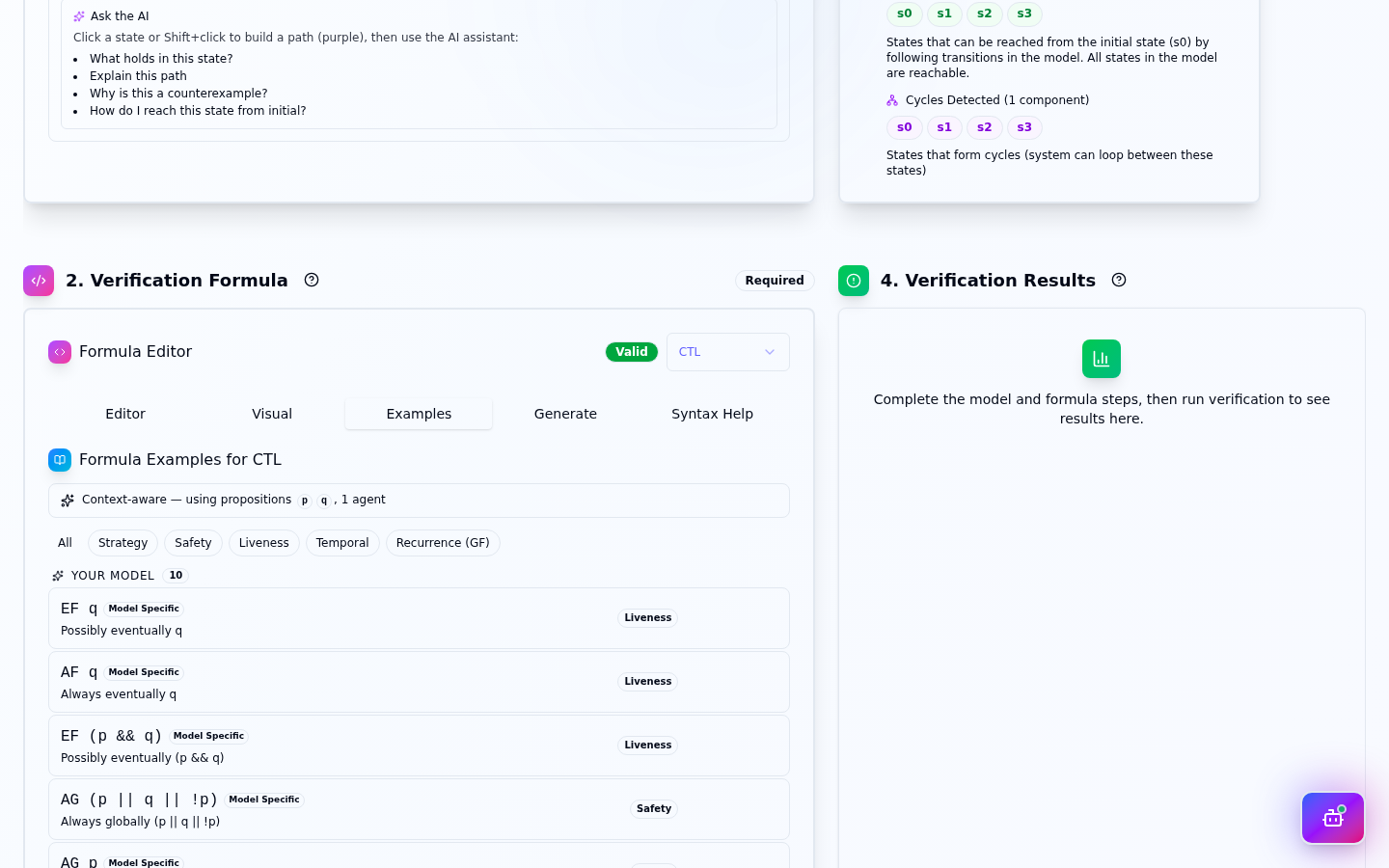
Formulas filtered by the header logic. With a model loaded, examples are split into Your Model (tied to the current or example model) and Other Examples. Filter by category: All, Strategy, Safety, Liveness, Temporal, Recurrence (GF). Click a row or Use to load it into the editor and switch to Editor. You can copy without loading.
Generate
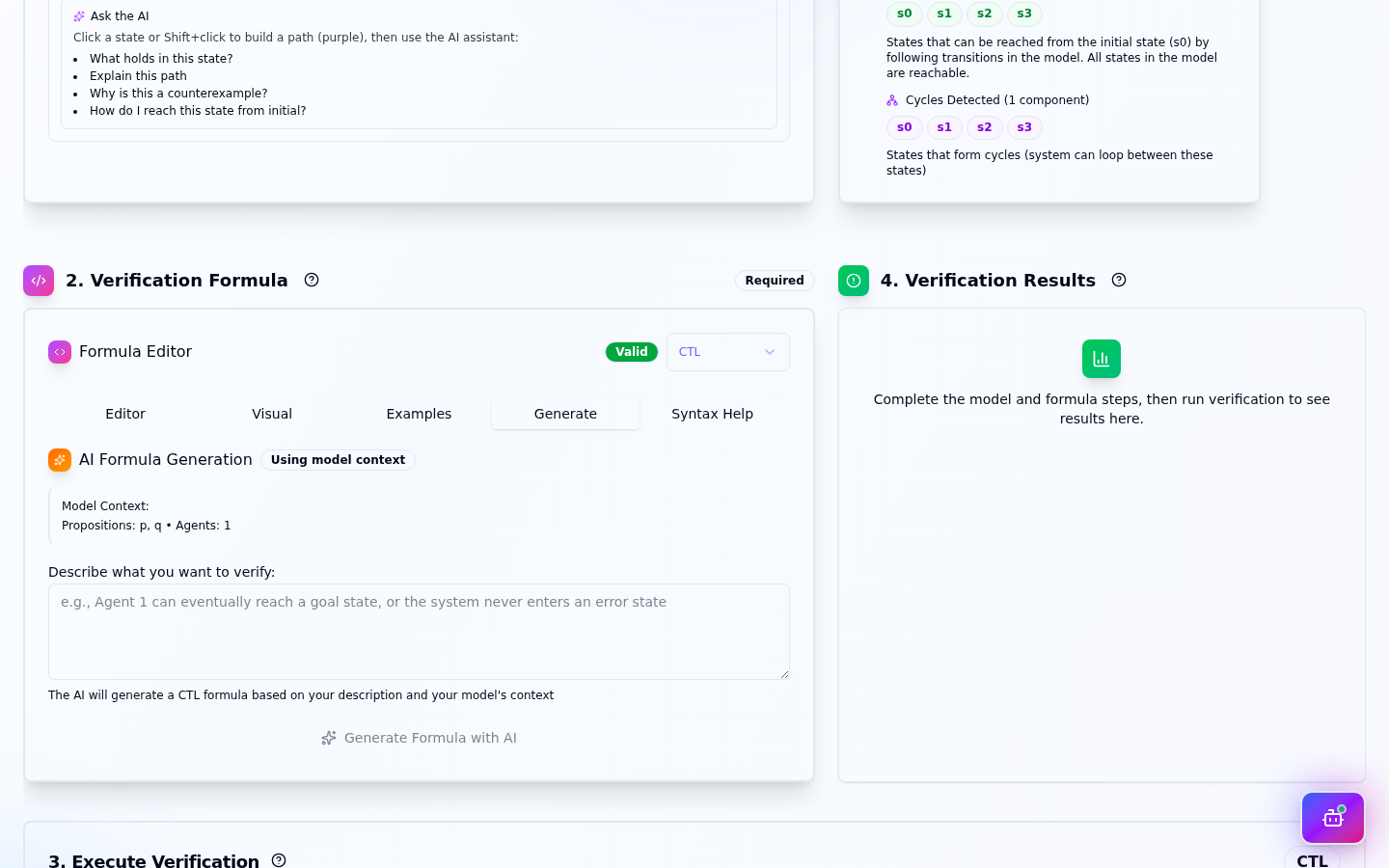
Describe what you want to check in plain language. With a model loaded, the app sends proposition names and agent count as context (Model context active badge). Select the correct logic in the header, then click Generate Formula with AI. The app validates the result for the selected logic:
- A valid formula goes into the Editor tab.
- When the AI returns an empty formula, a formula that fails validation or does not match your description, or the request fails, a draft comes from the server's fallback, from the matching template suggestion, or from your description and the model's propositions. It is shown with a warning that says which source it has.
- A draft that fails validation stays in the Generate tab with its syntax errors.
Generate requires AI to be enabled on the server.
Syntax Help
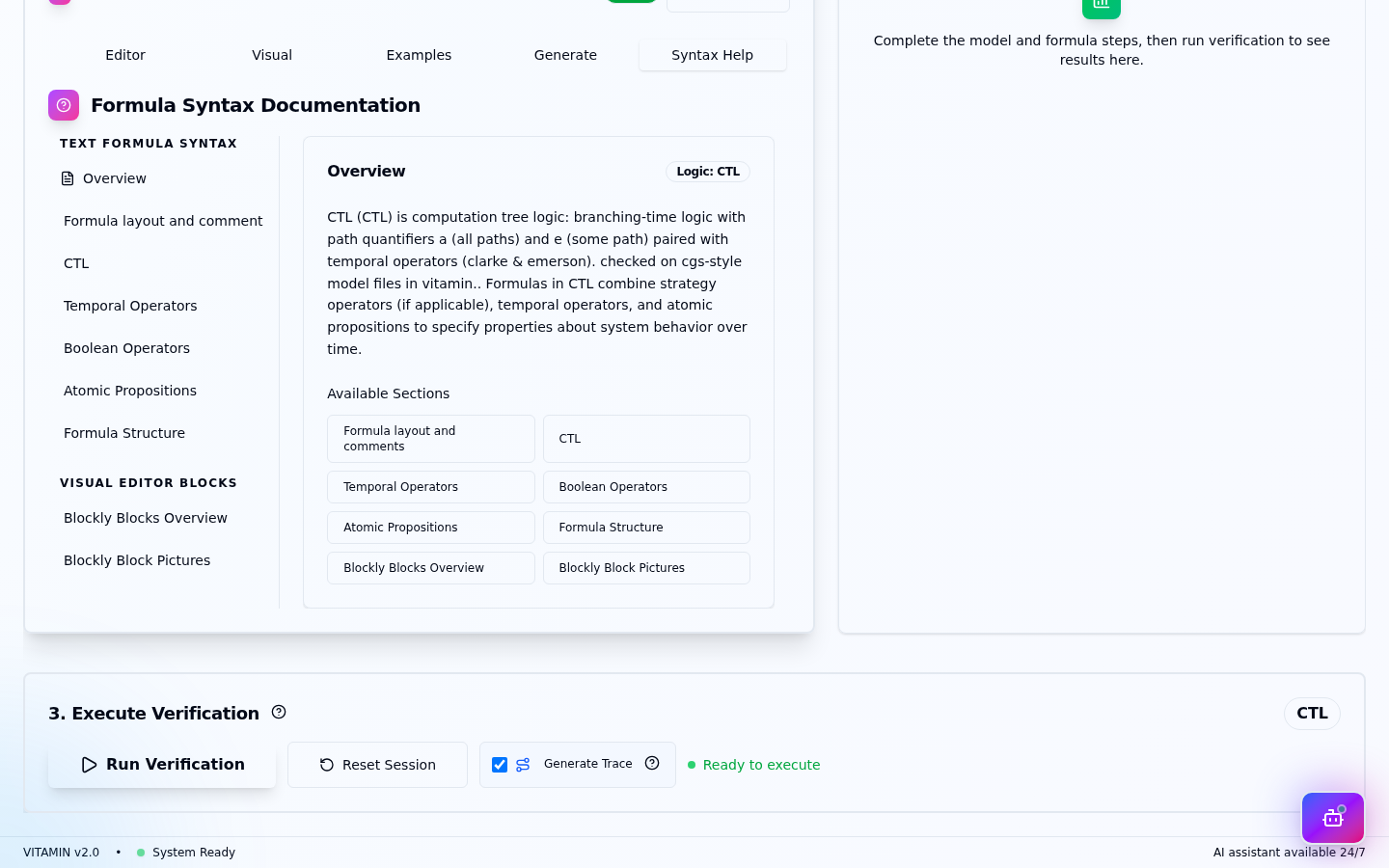
Reference for the selected logic. The list on the left has three parts, below the Overview entry that links to every section:
- Only for the selected logic: its operators, the temporal operators it takes and how to use parentheses.
- For all logics: layout and comments, temporal operators, boolean operators and atomic propositions.
- Visual Editor Blocks: Blockly block shapes and usage.
Next steps
When the formula is Valid, use Execute Verification to run the check. Results appear in Verification Results. Use the model Visual tab and Show Path to see a trace on the graph.