Verification Results
After verification finishes, Verification Results (bottom right) shows the outcome of the run started in Execute Verification. Before the first run, the panel asks you to complete the model and formula steps.
The header has a status badge and four tabs: Overview, Details, Metrics and Export.
Header and status
Status badges:
- SATISFIED: the formula holds. A witness trace (a run of the model showing that it holds) may be included if trace generation ran and the logic supports it.
- NOT SATISFIED: the formula does not hold. A counterexample trace (a run showing that it fails) may be included.
- FAILED: the run did not finish successfully (server error, timeout or invalid input). Check Details and fix the model or formula.
Batch runs (several formulas checked in one run) show a sub-header with the current formula, label, status and time. Use Previous Formula and Next Formula to step through results.
The Export button in the header opens the Export tab or starts a quick download.
Overview
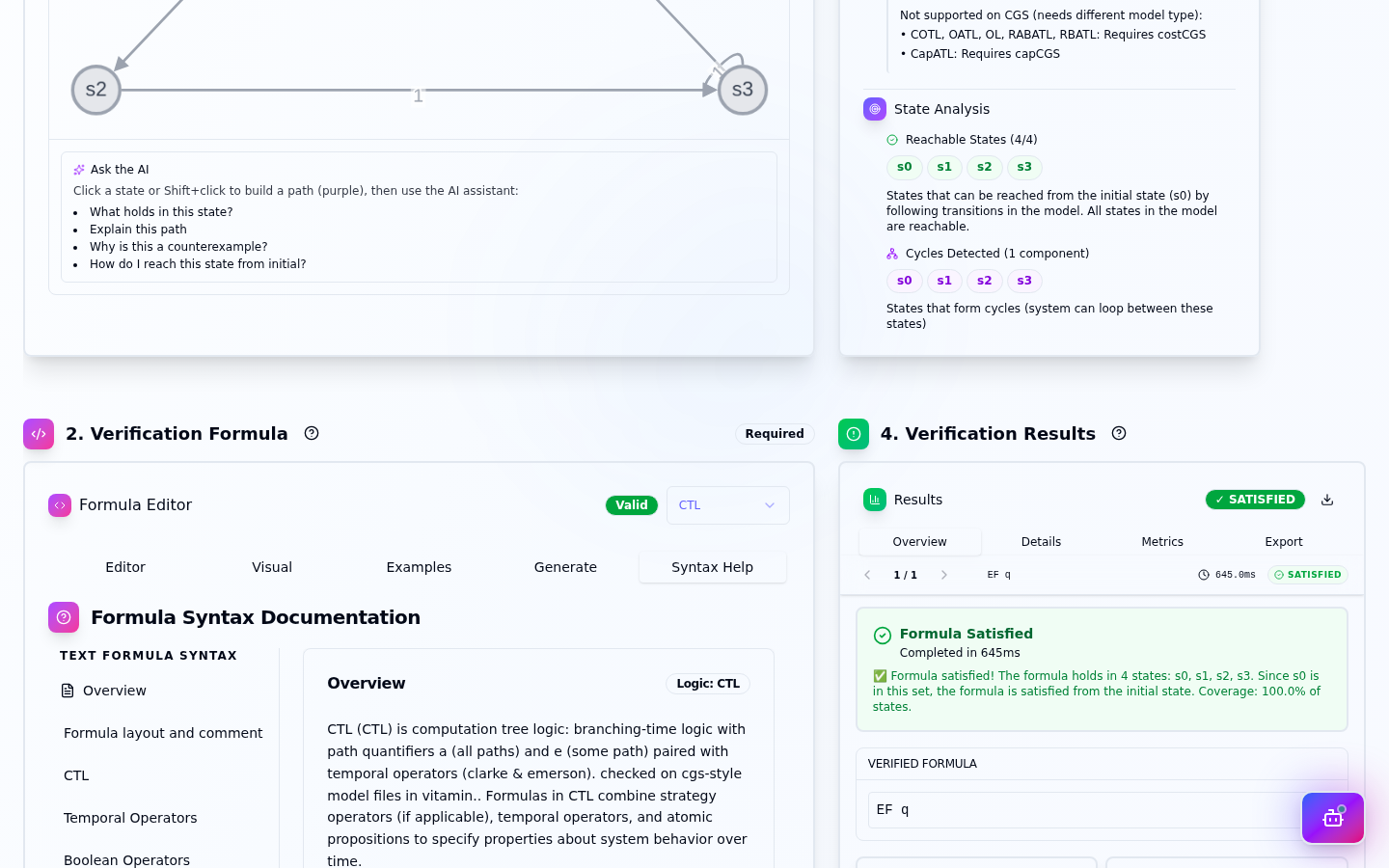
Summary of the run:
- Status banner: satisfied, not satisfied or failed, with the execution time.
- Trace: compact witness or counterexample path when available.
- Satisfying states or Counterexample: compact list or path summary. For ATLF, Overview and Details show a Value per State card in place of both: each state with the formula's value in [0,1] there, computed with min and max over the labels (the bundled ATLF examples explain the rules in their README). Any value above 0 counts as holding; the status banner and the satisfying states use this rule.
- AI Suggestions: optional next-step hints from the backend.
Details
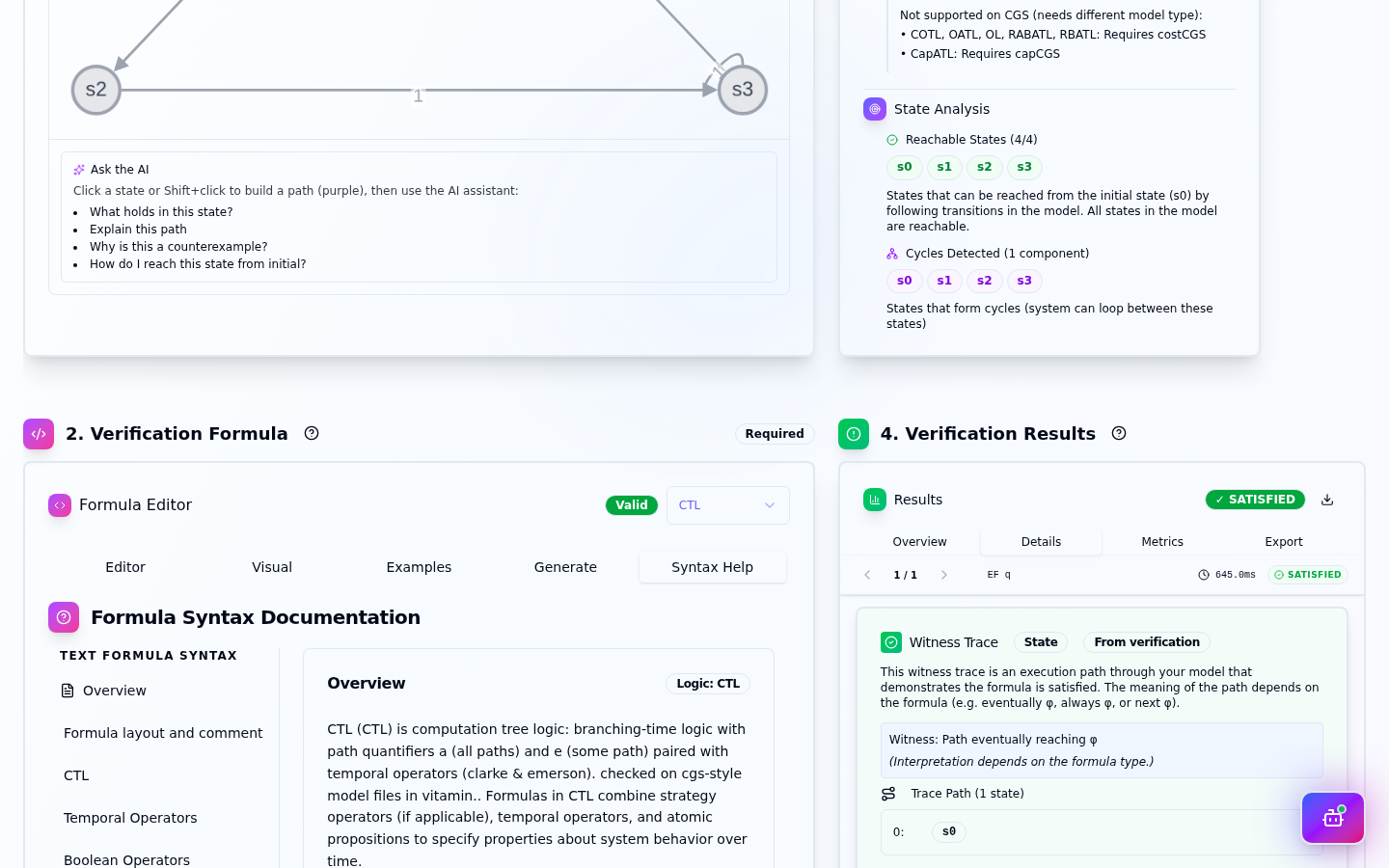
Full output:
- Trace: complete state or strategy trace (same meaning as Overview, full detail). A strategy trace is the coalition's choices along one path; the synthesized ATL* strategy below is a separate result.
- Satisfying states or Counterexample: full lists when the backend provides them.
- Strategy: for a satisfied ATL* formula, a Synthesize strategy button that computes the actions with which the coalition wins; see Strategy for ATL*.
- Raw Verification Output: collapsible backend JSON for debugging or tooling.
- Next Steps: short suggestions based on satisfied or not satisfied.
Strategy for ATL*
The Strategy card appears in the Details tab when the logic is ATL* (see Formula syntax) and the formula is satisfied. A satisfied ATL* formula says the coalition (the agents in <<1,2>>) can win, and the check returns only that verdict.
Synthesize strategy is a separate request for the rule behind the verdict: the action each coalition agent plays so that the formula holds whatever the other agents do. It runs the formula of the selected result from the model's initial state; the UI offers no other start state, while the public API takes any state. The button reads "Synthesizing..." until the answer arrives, at most the server's check time limit; see Time limit.
A position is a model state plus the strategy's memory, shown as s0 (memory 1). The memory identifies a state of the automaton the checker builds from the formula to track the path so far, so the same model state can call for different actions at different memory values. Memory values are labels: compare them only for equality. The card starts with a summary line, for example "Start at s0 (memory 1). The strategy reaches 2 positions through 2 transitions.", and then shows two tables, sorted by state, then memory:
- Moves: the action each coalition agent plays at each position.
- Transitions: where the model can go after those actions. The coalition fixes only its own actions, so each position has one transition per response of the other agents. The joint action lists the action of every agent, such as
1: a, 2: IDLE.
After a strategy appears the button reads Synthesize again, which replaces it. If the formula does not hold at the state checked, the card says there is no strategy. Errors appear in red under the button.
When the AI Assistant is available, Ask AI to explain this strategy appears under the tables. It opens the assistant with a request to walk through the strategy from its start position: the action each agent in the coalition plays at each position, and why every response of the other agents keeps the formula on track. A chat question of your own gets the strategy of the selected result when it contains "synthesized strategy" or "winning strategy"; the plain word "strategy" is not enough, because every built-in prompt contains it.
The assistant receives the strategy as text: the result's formula, the start position, then one line per Moves row and per Transitions row, at most 3000 characters. A longer strategy is cut after a whole line and ends with a line saying how many lines were left out; the assistant can then explain only the part it received. The server accepts at most 10,000 characters of context per message, model text included. When the model text and the strategy together go over that, the server drops the strategy and answers without it.
The strategies are kept per formula, so when a batch has several ATL* formulas you can synthesize one, select another result and come back to find the first strategy still there. They are cleared when a new check runs and when the model text changes, because a strategy is only valid for the text it was synthesized from. An answer from the server that arrives after you edited the model is ignored for the same reason. Export includes the strategy of each exported result that has one.
The button works for a formula with one outermost coalition and no coalition nested inside it, such as <<1>> F goal. For a formula like <<1>> F (<<2>> G goal) the check still runs, but Synthesize strategy shows an error that a nested coalition is not supported.
Metrics
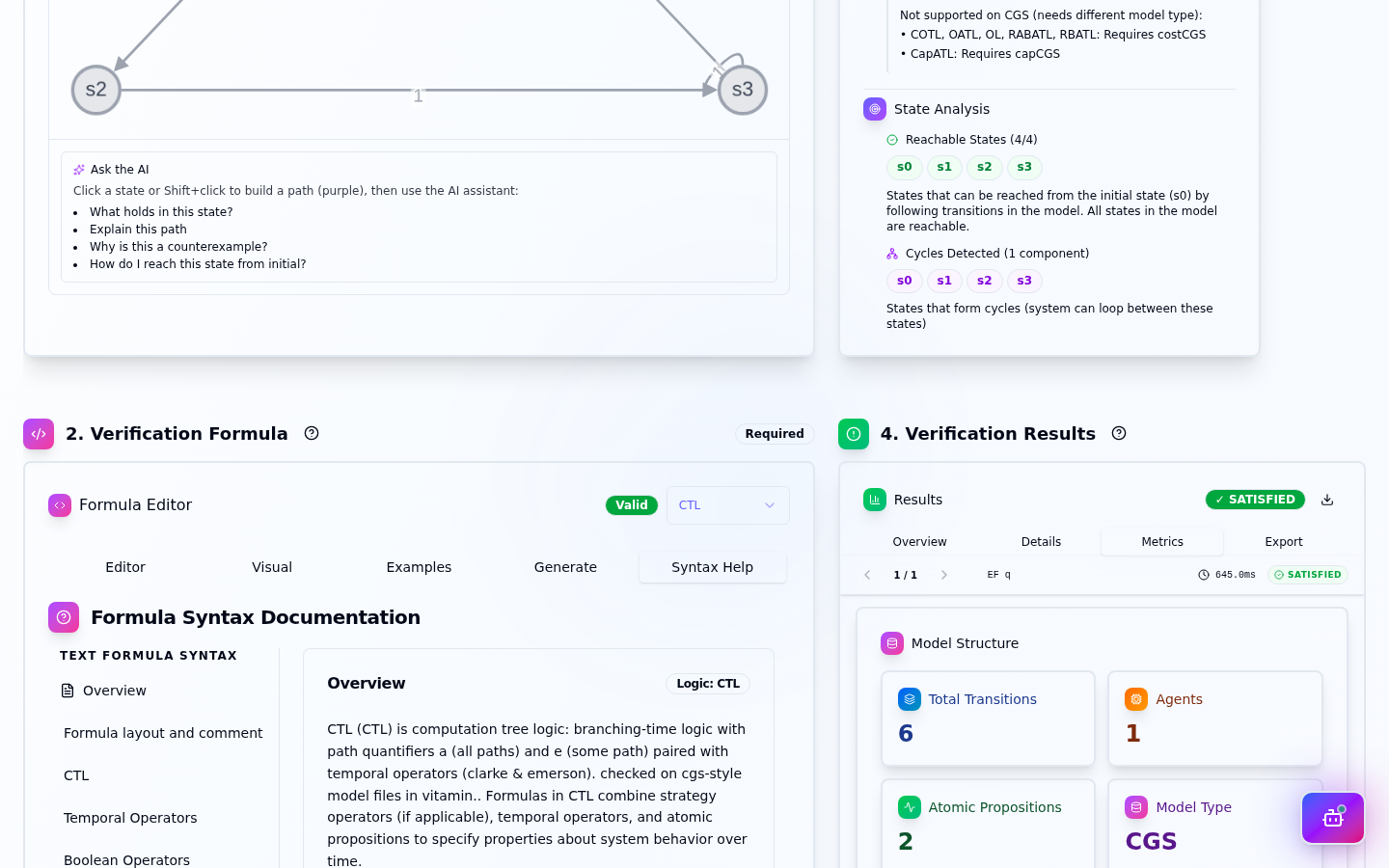
Performance and coverage:
- Model context, execution time, memory, complexity labels.
- Formula coverage: percentage and count of satisfying states when totals are available.
- Processing rate (states per second).
- Formula complexity metrics when returned.
- Trace metadata (type, length, coalition agents, cycle flag) or a note when no trace was returned. The coalition is the group of agents named in the formula, such as
<1,2>.
Export
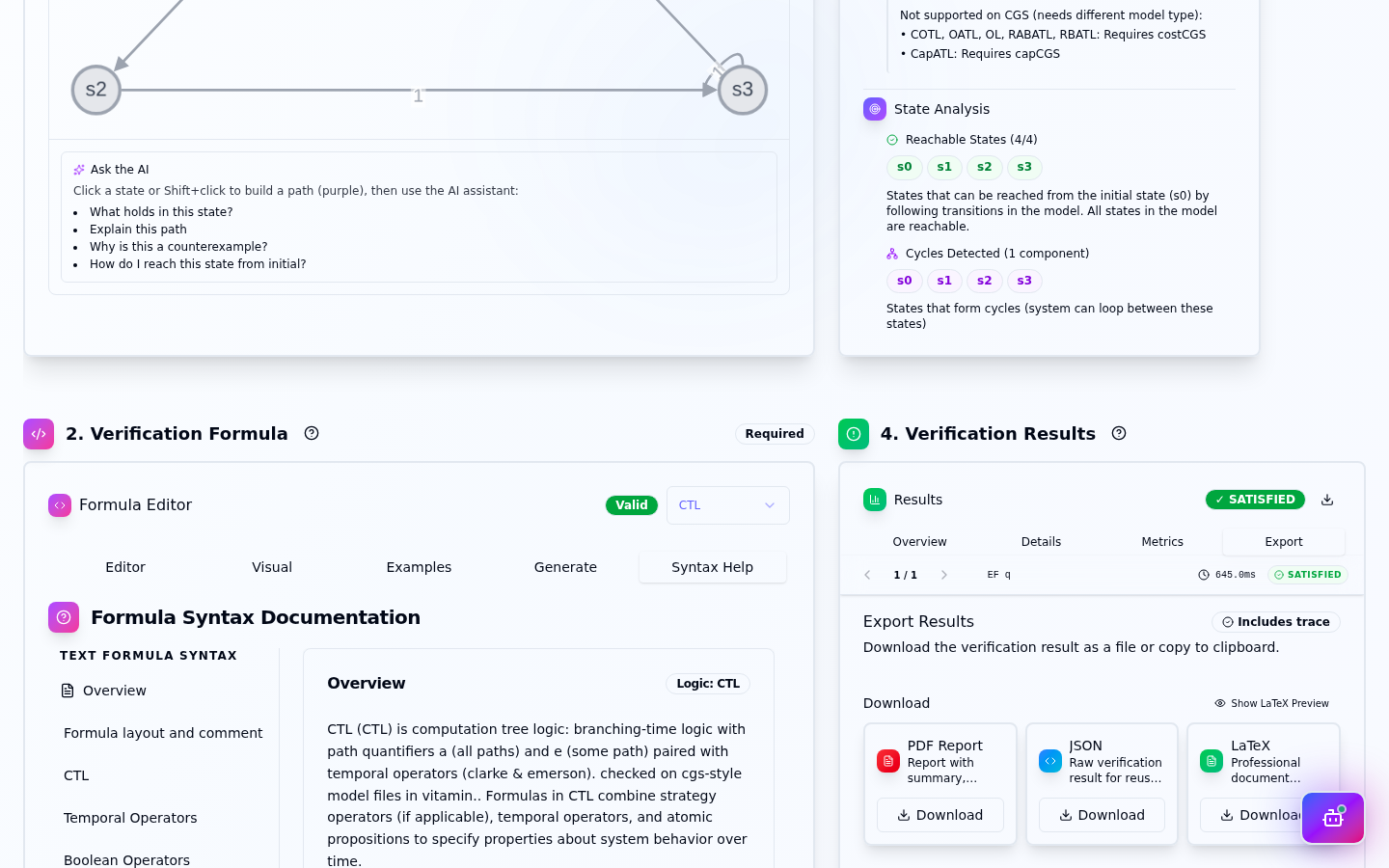
- PDF Report: summary and trace, with a batch option when several formulas were run.
- JSON: raw result for scripts or tools.
- LaTeX: document source for papers or reports.
With the ATL* logic, each exported result also has a Strategy section in all three formats, with the same content as the Strategy card (in JSON it is the strategyExport field of the result). Other logics have no Strategy section. A result without a strategy gets one line with the reason:
- Not satisfied: "The formula is not satisfied, so there is no strategy."
- Not synthesized: "No strategy was synthesized for this result." Run Synthesize strategy in the Details tab for each result before exporting.
- Not holding at the state checked: "The formula does not hold at the state checked, so there is no strategy."
- Synthesis failed: the message of the failure, for example that a nested coalition is not supported.
The Copy button under Copy to clipboard copies the JSON of the selected results. It does not include strategies.
Empty state
If you have not run verification yet, or after Reset Session, the panel shows: "Complete the model and formula steps, then run verification to see results here."